Process your files with AI,
from your desktop
Convert formats, extract data, sort files, rename based on content, single or in batch.
No upload required. SideDoc works right on your desktop, processing hundreds of files at a glance, or large files, with the power of premium AI models.
Digitally signed & certified Windows application
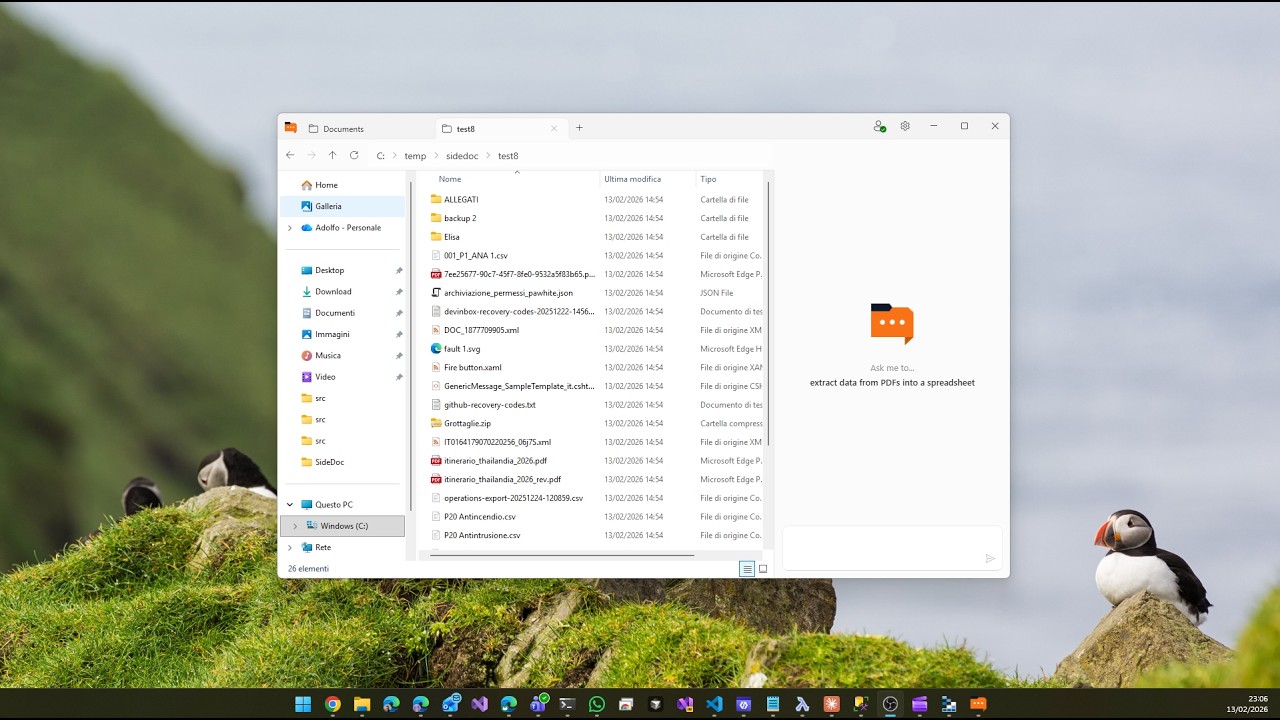
Just describe what you want.
Tell SideDoc what you need in natural language. It understands your intent and handles the rest — renaming files, organizing folders, merging spreadsheets, and more. No complex menus or scripts required.
Rename all files based on their content, then organize into folders by category
I'll analyze each file and rename them descriptively. Then create category folders and sort everything. Ready?
AI reads your files and names them right.
No more "scan001.pdf" or "IMG_4521.jpg". SideDoc understands the content of your documents and creates meaningful, searchable names automatically.
Combine spreadsheets in seconds.
Got 50 Excel files to merge? Just tell SideDoc. It combines them into a single workbook with multiple sheets, preserving all your data and formatting.
All file operations run on your computer
Private by design.
All file operations run locally on your machine. When AI needs to understand your content, only the necessary text is sent for processing — never stored. Nothing is shared, sold, or used to train models.
Don't like the result? Undo it.
When AI needs to modify, move, or delete your files, SideDoc automatically takes a snapshot first. Review exactly what changed — then roll everything back to the original state with one click.
FAQ
Yes, your data security is our top priority. SideDoc runs entirely on your local machine, and most operations happen without any data leaving your computer.
For file operations like renaming, moving, merging, or organizing — your files are never uploaded to our servers. Only text instructions are sent to the AI.
For content-related requests like "summarize this document" or "extract data from this PDF" — the file content must be sent to our servers so the AI can process it. This only happens when you explicitly request such operations, and we do not store your file content after processing. See our Privacy Policy for details.
Simple, transparent pricing
Start free. Upgrade when you need more.
An AI Task is consumed each time SideDoc sends a message to the AI. Each time you ask SideDoc to do something (rename files, sort a folder, extract data, etc.), it uses one or more tasks depending on how complex the request is. A simple rename might use 1 task, while extracting data from 50 invoices into Excel might use more. The free tier gives you 5 tasks every month to try it out and see if it fits your workflow.